Adam Elphick
2026.09.18
Cannot connect via SSH - blocked
I have a SOTA with a custom head (picture attached) - the user and password is correct but when i try to connect via SSH (either with Putty or Windows Command Prompt) I get the following error:
CMD - root@192.168.0.133: Permission denied (publickey,keyboard-interactive).
Putty - no supported authentication methods available (server sent: publickey,keyboard-interactive)
I also tried to connect the micro-usb port to my laptop and Windows 11 does not register anything plugged in to the usb port! So I cannot bypass the passowrd login lock.
Can anyone help?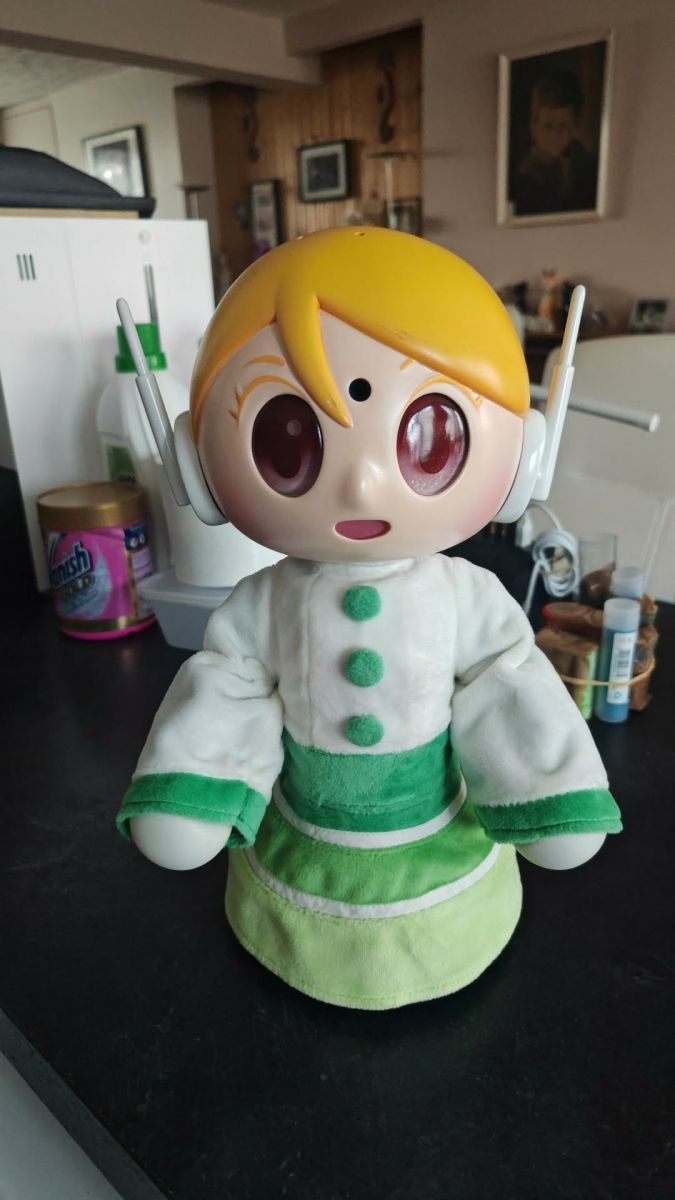
CMD - root@192.168.0.133: Permission denied (publickey,keyboard-interactive).
Putty - no supported authentication methods available (server sent: publickey,keyboard-interactive)
I also tried to connect the micro-usb port to my laptop and Windows 11 does not register anything plugged in to the usb port! So I cannot bypass the passowrd login lock.
Can anyone help?

回答
Sotaサポート
2026.09.24
Adam Elphick様
お世話になります。Sotaサポートです。
まず本製品は日本国内及び日本語でのサポートのみとなっておりますので、何卒ご了承ください。
sshでのログインについては、Sotaの出荷時の設定ではid:root、pass:edison00となっておりますが、これはユーザ側で任意に変更可能なため、お使いの機体が設定変更されている場合はこちらでは状況を把握致しかねます。
外装含めて大きくカスタマイズされており、過去に何らかの目的で利用されていると思われるため、この状態で入手された場合は元の持ち主様にご確認いただくなどの必要があります。
お世話になります。Sotaサポートです。
まず本製品は日本国内及び日本語でのサポートのみとなっておりますので、何卒ご了承ください。
sshでのログインについては、Sotaの出荷時の設定ではid:root、pass:edison00となっておりますが、これはユーザ側で任意に変更可能なため、お使いの機体が設定変更されている場合はこちらでは状況を把握致しかねます。
外装含めて大きくカスタマイズされており、過去に何らかの目的で利用されていると思われるため、この状態で入手された場合は元の持ち主様にご確認いただくなどの必要があります。
この質問に回答する